
Screenshots
About Color by number & Pixel art
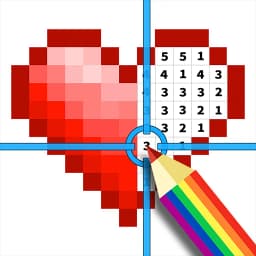
Color by number & Pixel art is a relaxing coloring game that combines numbered squares with corresponding colors to complete beautiful artwork. Tap each empty square, select the matching color from the palette, and watch your picture come to life as you fill in every section.
The app welcomes all ages and skill levels with a vast library of free images in various sizes. Start with quick small projects or work through large detailed masterpieces—you choose the scope and pace that suits you. No restrictions based on image size means you can tackle any project whenever inspiration strikes.
Customize your creative experience by editing the color palette freely. Adjust hues and create unique color combinations that reflect your personal style, making each finished piece genuinely yours. This palette control transforms how you approach each project and lets you experiment with different color schemes on the same image.
Take your finished paintings further with the pixel art editing feature. Transform completed artwork into pixel art using creative shapes like hearts, diamonds, clovers, and stars. Reimagine and reinvent your colorful creations in playful new ways, giving each piece multiple lives.
Import your own photos and images directly into the app to color from scratch. Turn personal memories, family photos, and beloved images into colorful creations. This feature brings a personal dimension to your coloring—working with images that matter to you adds meaning to the creative process.
Stay engaged through achievements and leaderboard rankings that show how you compare with players worldwide. Track your progress and celebrate milestones as you complete projects. The app supports 16 languages, making it accessible across different regions and backgrounds.
Use Color by number & Pixel art as a way to unwind during downtime or dedicate longer sessions to intricate projects that demand focus and creativity. The app delivers endless creative possibilities with no pressure—just colorful, satisfying fun for everyone.
Pros & Cons
Pros
- Large free image library with no size restrictions on projects
- Customizable color palettes let you experiment with different schemes
- Import personal photos to color, adding sentimental value
- Pixel art editing transforms finished artwork into playful new styles
Cons
- Free-to-play model likely includes ads during gameplay
- Leaderboard and achievement systems may encourage compulsive play sessions
- Photo import feature requires camera or gallery permissions
- Complex palette editing and pixel art tools have a learning curve
Related Apps

Domino Dreams™
SuperPlay.
Domino puzzle game with relaxing gameplay, colorful boards, and satisfying tile-matching challenges.

Toon Blast
Peak
Puzzle game with cube-matching combos, cartoon adventure, and team play—from the creators of Toy Blast.

Merge Magic!
Gram Games Limited
Merge puzzle game with 500+ objects, magical creatures, and 81 levels to lift an ancient curse.

Angry Birds
Rovio Entertainment Corporation
Physics puzzle game — launch birds to topple towers and defeat pigs in hundreds of challenging levels.

Simon's Cat - Crunch Time
Tactile Games Limited
Match-3 puzzle game with Simon's Cat – solve levels, beat villains, and unlock surprises free.

Math Run : Adventure Game
Oxford EduVision (M)
Math platformer game with 4 levels. Solve equations at checkpoints to speed up and reach the finish line fast.
Latest Articles
7 best Adobe Acrobat Studio alternatives for desktop in 2026 (we tested all of them)
Jul 9, 2026

Best apps for AI task scheduling on desktop in 2026
Jul 9, 2026

Best apps for using Android as a second monitor in 2026 (we tested 8)
Jul 9, 2026
Best apps for chatting with PDFs on desktop in 2026 (we tested 8)
Jul 9, 2026

Best apps for desktop customization in 2026 (Windows, macOS, Linux)
Jul 9, 2026